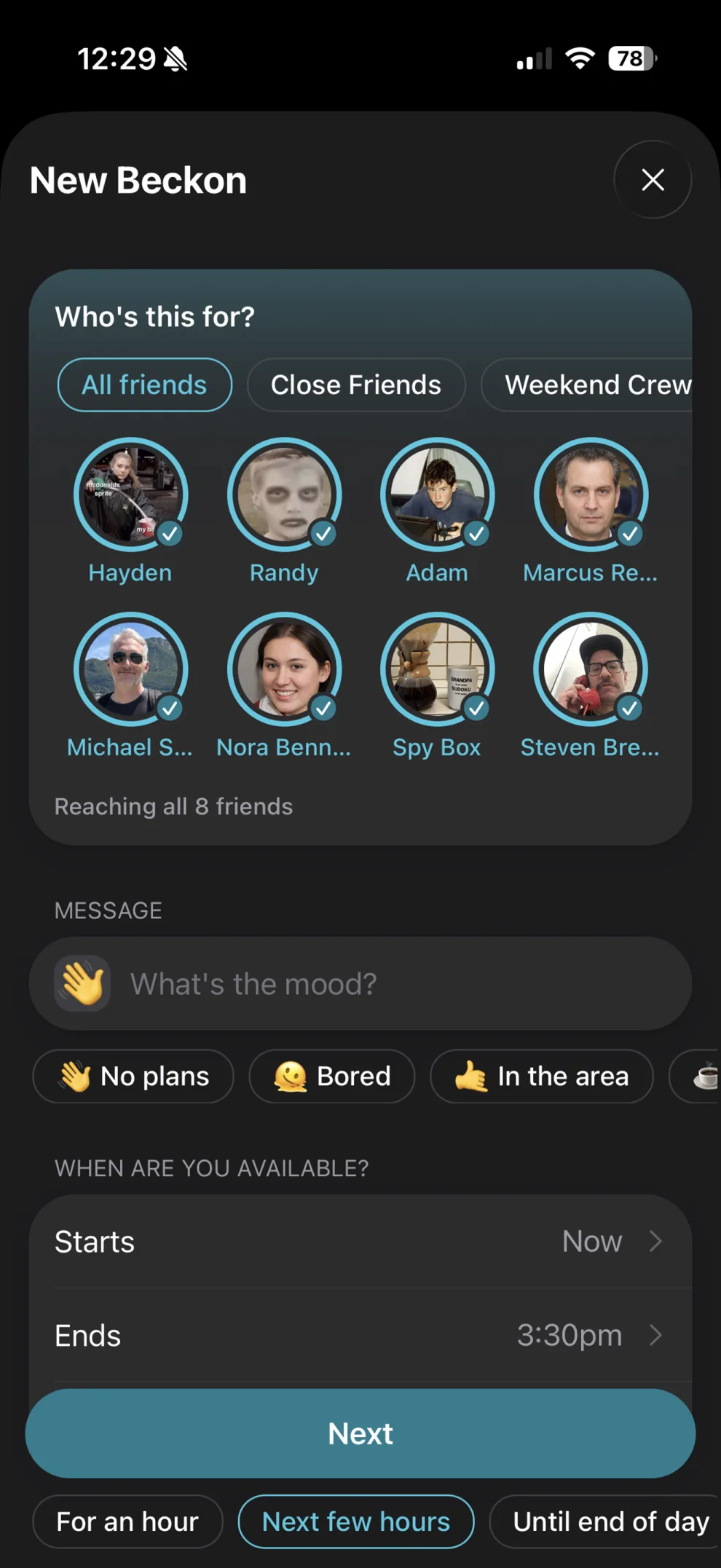
Say what you’re doing.
What you’re doing, when, and who sees it.
- What you’re doing. “Tacos.” “Bad movie.”
- When. Now, or later.
- Who sees it. A group you pick.
- It expires on its own.
/site/screenshots/create-beckon.webp
990 × 2153
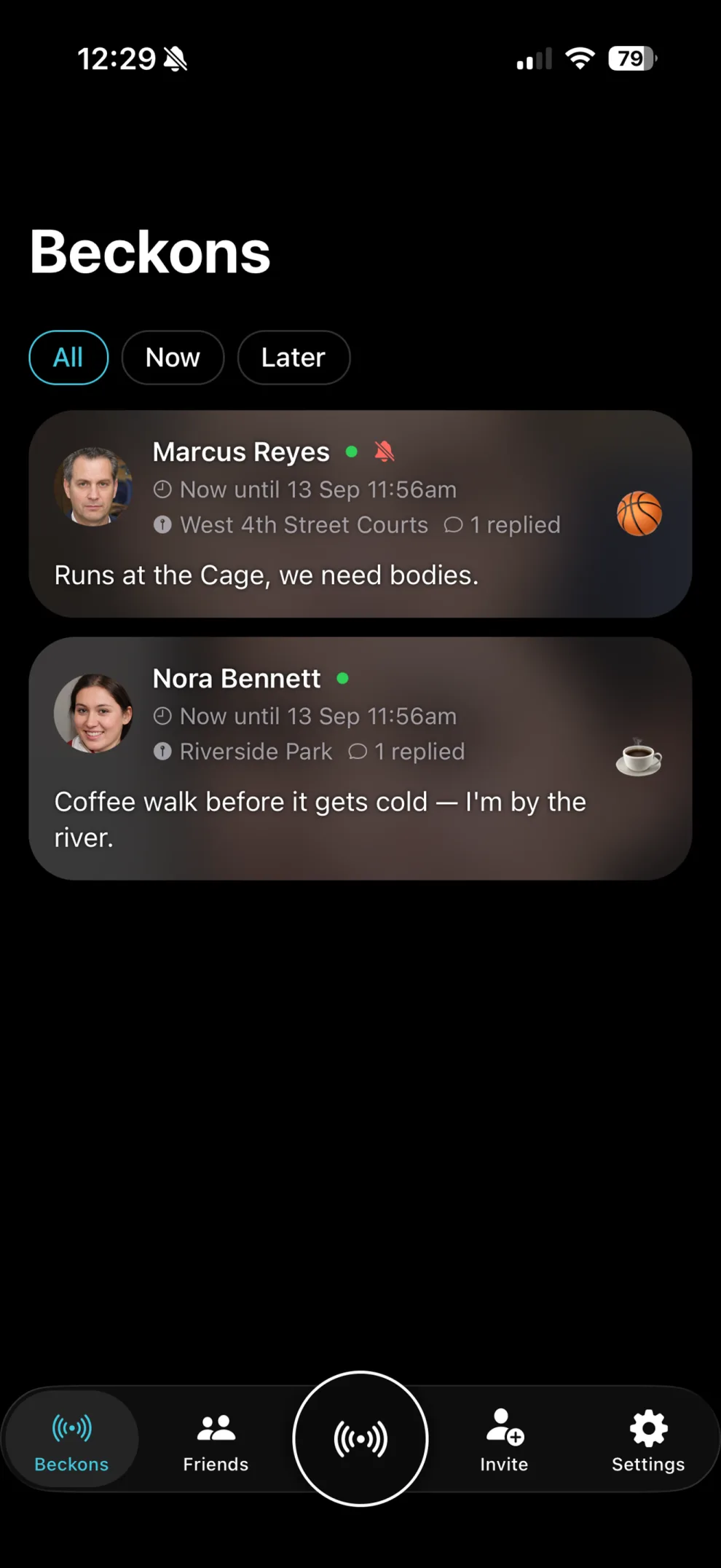
See what’s happening.
The screen you’ll actually open. Nothing older than today.
- Now — happening this minute.
- Later — happening soon.
- All — everything at once.
- No read receipts. Nobody knows you looked.
/site/screenshots/beckons-feed.webp
990 × 2153
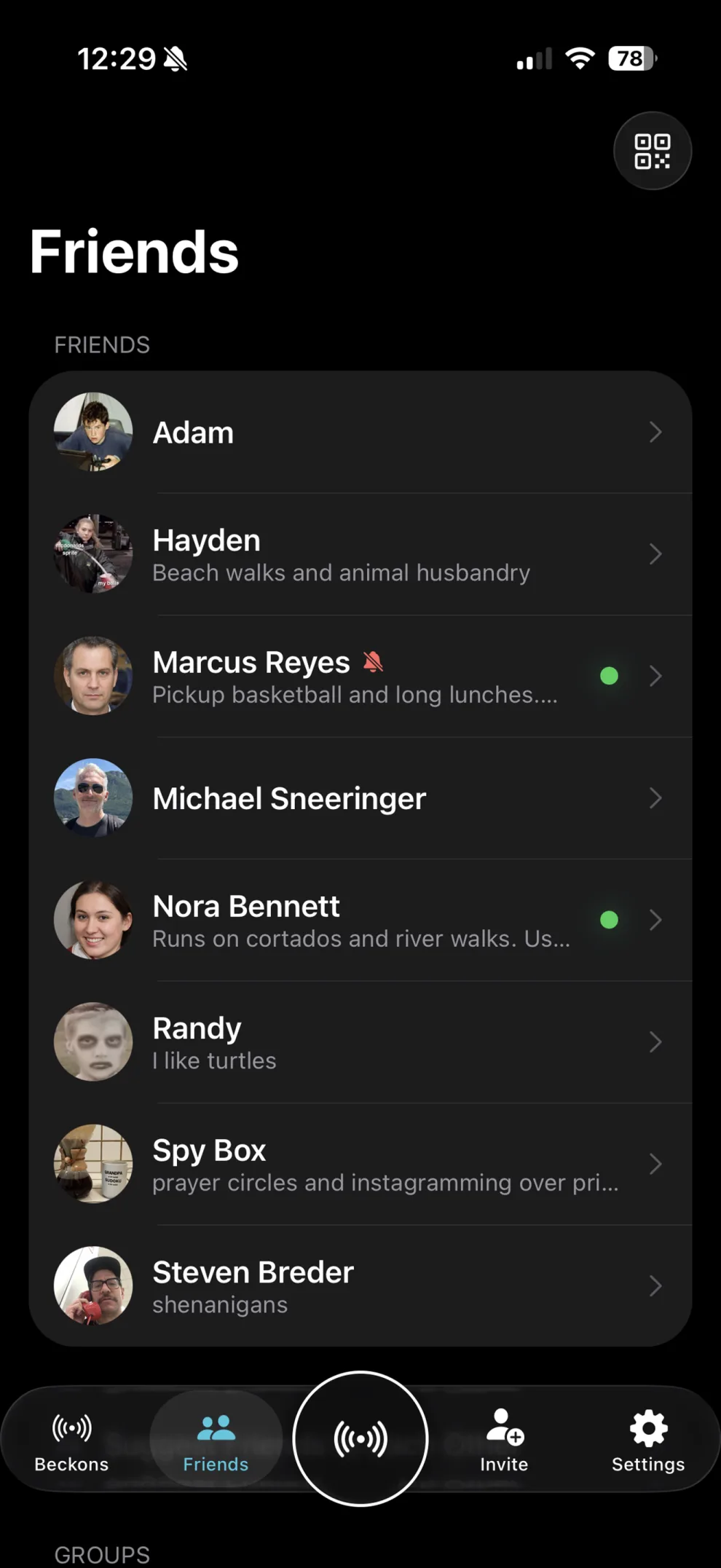
A list, not a network.
Short on purpose. People you’d be glad to see.
- You added everyone here.
- No algorithm. A friend can introduce you to one of theirs.
- Make core groups you can quickly invite over and over.
/site/screenshots/friends.webp
990 × 2153
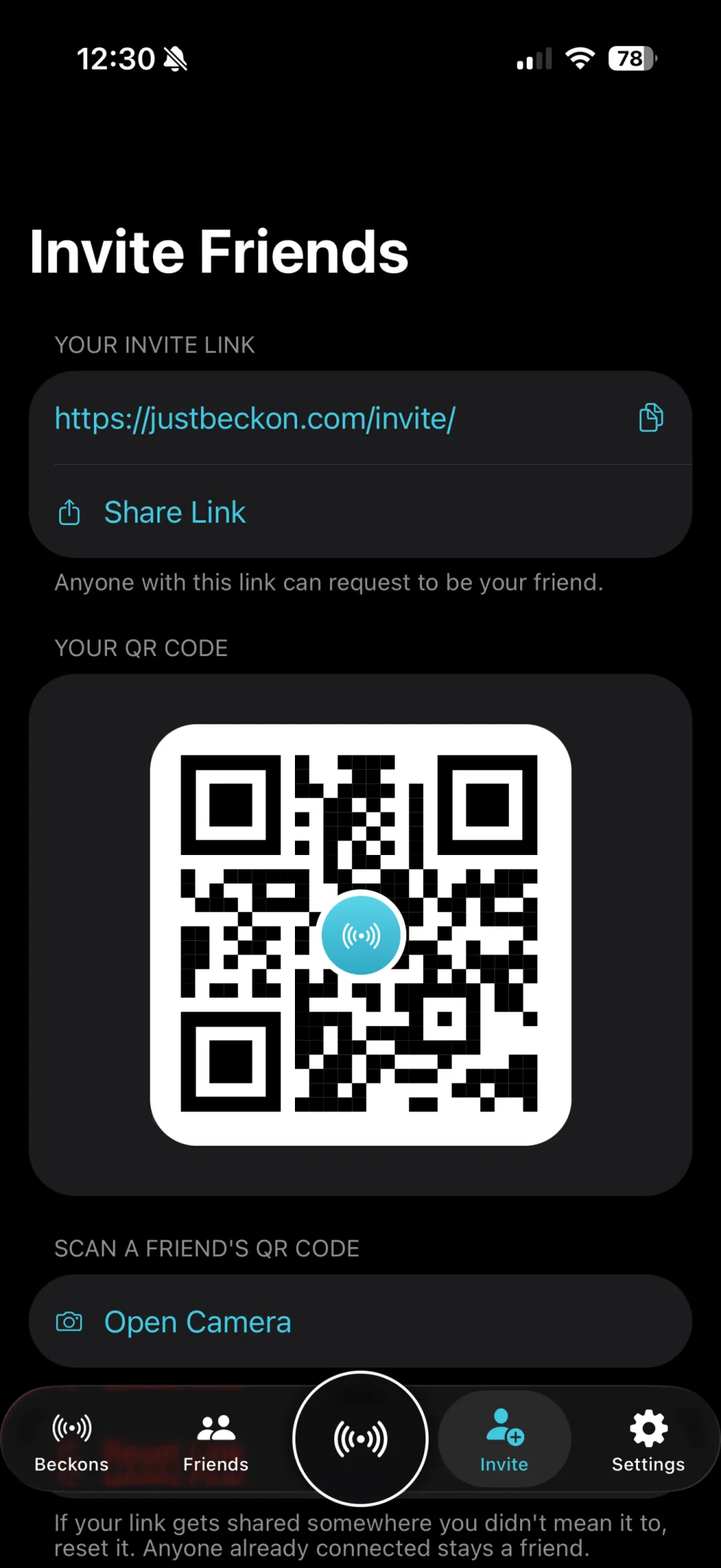
Scan a friend’s code.
One person at a time.
- Show your code, or scan theirs.
- Or send a link.
- Nobody adds you without your code.
/site/screenshots/invite.webp
990 × 2153
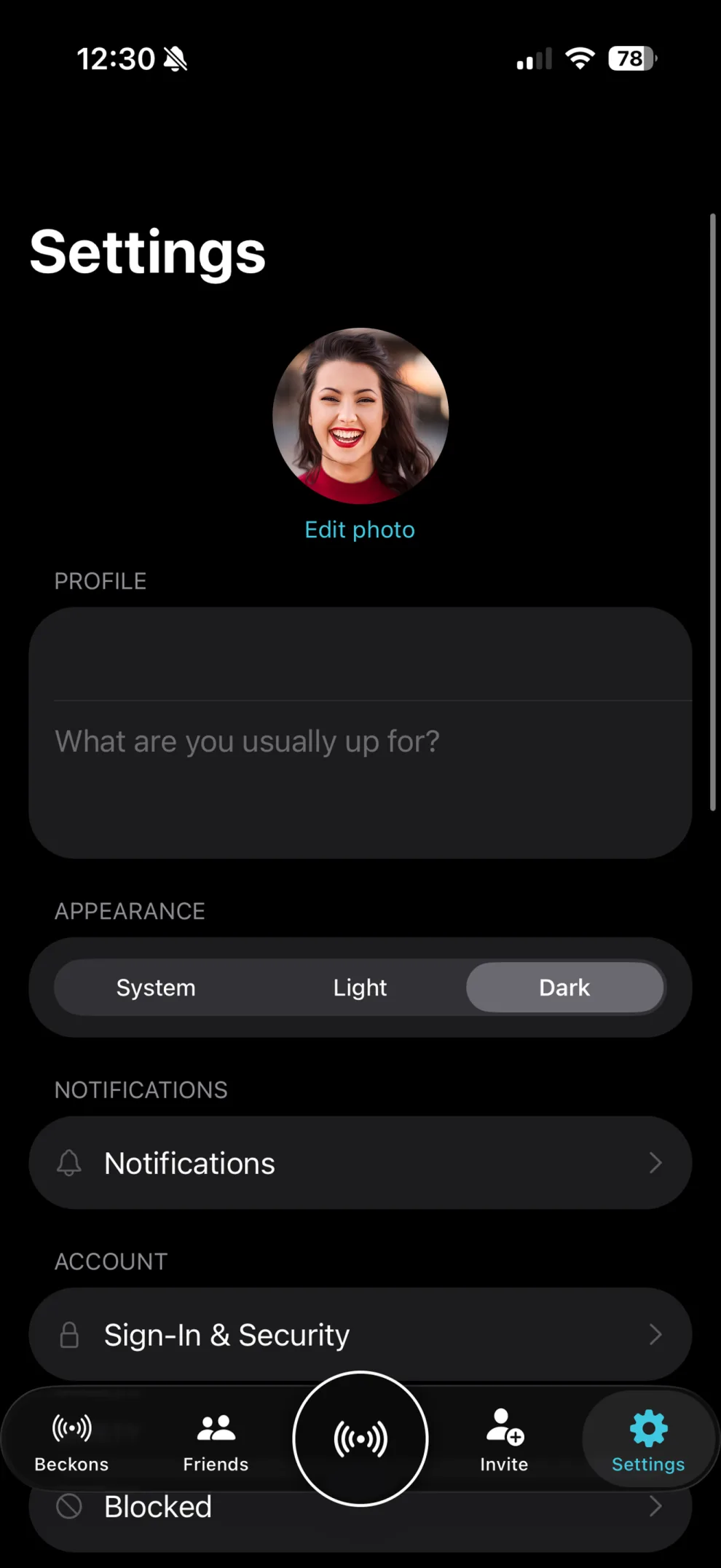
Everything else lives here.
Your account and your notifications.
- Control your notification frequency.
- Your account. Sign out, or delete it.
- Privacy, terms, support, bug reports.
/site/screenshots/settings.webp
990 × 2153
What we left out.
Not in Beckon
- No ranked feed. Nothing to rank.
- No public profiles. You can’t be found.
- No follower counts.
- No streaks. Go quiet for a month.
- No group chat that never becomes a plan.
What you get instead
- An app that ends.
- A short list of real people.
- Permission to be quiet.
- Nothing to keep up with.
- More quality time with your friends.
The things people ask first.
Does Beckon track my location?
What you’re doing, not where you are. Details in the Privacy Policy.
What if nobody shows up?
It expires. Nobody’s told. You were going anyway.
Can my boss, my ex, or a stranger see this?
Only people you scanned in and sent it to. There’s no search.
Does it work if my friends aren’t on it?
Honestly, no. Bring two or three.
Is there an Android version?
Not yet. Android is coming soon; iPhone is first.
Is it free?
Free during the beta.
How do I block someone or delete my account?
Block someone from their profile, one tap. It’s silent — they’re not told; undo it from Settings → Blocked. Delete your account from Settings → Delete account. See Data & deletion, or ask us on the Support page.
That’s the tour.
A few minutes to set up. Then it stays out of your way.